Meet Candid
October 8, 2026 · Version 1.7.0
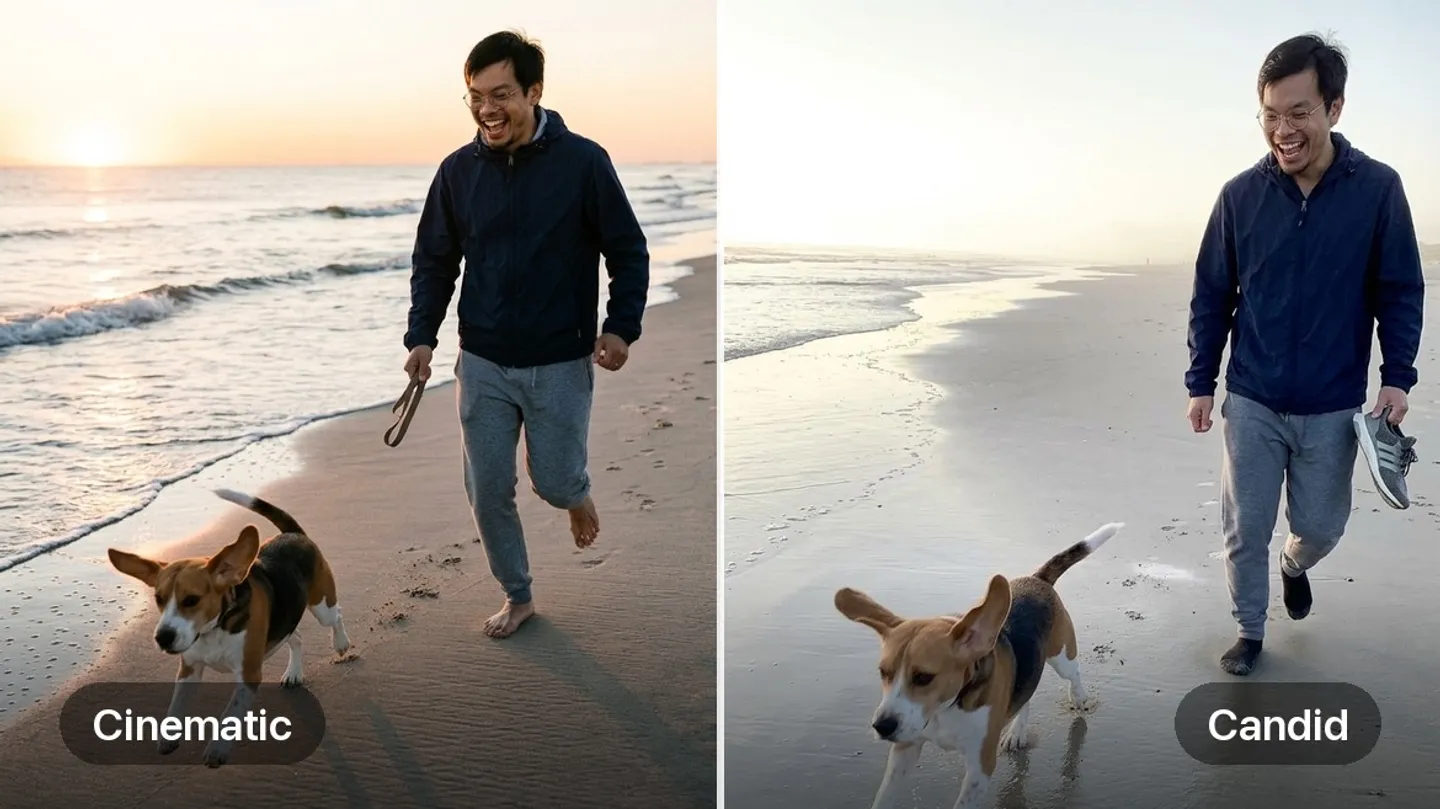
Meet Candid
Futures that look like real life. Pick Candid for any board and its new visions look like a friend took them on their phone. Prefer the polished look? Cinematic is still there. Open a board, then Board Settings, then Photo Style.
Help CenterAdd or change an imageRecord Them Myself
Give a whole board your voice in one go. Open a board’s three-dot menu and tap Record Them Myself. Futurecast walks you through every future that has no voice yet: record, play it back, redo, or skip.
Help CenterRecord your voice on a futureEvery pinned board on Today
Pin as many boards as you like. Every one of them now shows on your Today page.
The right board, first try
When you write a new future, Futurecast suggests the board it belongs on. Keep the pick, or tap Boards to choose another. Your best matches sit at the top when you save a new future and when you edit its boards.
A fresh new future screen
After you write a future, the preview now works like Edit Future. Add a vision, record your voice, choose boards, and add it to your ritual from one row of tools. Tap New to save it and write the next one. Words-only futures show their artwork as you preview them, chosen to match what you wrote.